.%20--%3e%3cpolygon%20points='5,18.5%2024,28%2024,43%205,33.5'%20fill='%2333506b'%20stroke='%2333506b'%20stroke-width='0.6'%20stroke-linejoin='round'/%3e%3cpolygon%20points='43,18.5%2024,28%2024,43%2043,33.5'%20fill='%2324384b'%20stroke='%2324384b'%20stroke-width='0.6'%20stroke-linejoin='round'/%3e%3cpolygon%20points='24,9%2043,18.5%2024,28%205,18.5'%20fill='%237c8fa0'%20stroke='%237c8fa0'%20stroke-width='0.6'%20stroke-linejoin='round'/%3e%3c!--%20Machined%20pocket%20on%20the%20top%20face%20--%3e%3cpolygon%20points='24,15.65%2029.7,18.5%2024,21.35%2018.3,18.5'%20fill='%2324384b'%20stroke='%2324384b'%20stroke-width='0.6'%20stroke-linejoin='round'/%3e%3c!--%20End%20mill%20descending%20into%20the%20pocket:%20narrow%20steel%20cylinder%20(bottom%20lip%20first,%20then%20the%20two%20body%20halves%20paint%20over%20its%20back%20half,%20then%20the%20lit%20top%20cap).%20--%3e%3cellipse%20cx='24'%20cy='18.9'%20rx='2.7'%20ry='1.35'%20fill='%2379899a'/%3e%3cpolygon%20points='21.3,6.35%2024,6.35%2024,18.9%2021.3,18.9'%20fill='%23c4cfd8'%20stroke='%23c4cfd8'%20stroke-width='0.6'%20stroke-linejoin='round'/%3e%3cpolygon%20points='24,6.35%2026.7,6.35%2026.7,18.9%2024,18.9'%20fill='%2393a3b2'%20stroke='%2393a3b2'%20stroke-width='0.6'%20stroke-linejoin='round'/%3e%3cellipse%20cx='24'%20cy='6.35'%20rx='2.7'%20ry='1.35'%20fill='%23e8ecef'/%3e%3c/svg%3e)
,%20the%20injection%20unit%20is%20machine%20hardware%20(same%20steel%20tones%20as%20the%20CNC%20end%20mill),%20and%20the%20melt%20keeps%20the%20pale%20accent%20tone%20so%20the%20material%20reads%20as%20what%20fills%20the%20mold.%20--%3e%3c!--%20Closed%20mold:%20two%20halves%20clamped%20shut%20--%3e%3cpolygon%20points='9,23.5%2024,31%2024,43.5%209,36'%20fill='%230a7a45'%20stroke='%230a7a45'%20stroke-width='0.6'%20stroke-linejoin='round'/%3e%3cpolygon%20points='39,23.5%2024,31%2024,43.5%2039,36'%20fill='%23075530'%20stroke='%23075530'%20stroke-width='0.6'%20stroke-linejoin='round'/%3e%3cpolygon%20points='24,16%2039,23.5%2024,31%209,23.5'%20fill='%2362aa88'%20stroke='%2362aa88'%20stroke-width='0.6'%20stroke-linejoin='round'/%3e%3c!--%20Parting%20line%20--%3e%3cline%20x1='9'%20y1='29.75'%20x2='24'%20y2='37.25'%20stroke='%23075530'%20stroke-width='1.4'%20stroke-linecap='round'/%3e%3cline%20x1='39'%20y1='29.75'%20x2='24'%20y2='37.25'%20stroke='%230a7a45'%20stroke-width='1.4'%20stroke-linecap='round'/%3e%3c!--%20Sprue%20opening%20in%20the%20top%20face%20--%3e%3cpolygon%20points='24,21.4%2028.2,23.5%2024,25.6%2019.8,23.5'%20fill='%23075530'%20stroke='%23075530'%20stroke-width='0.6'%20stroke-linejoin='round'/%3e%3c!--%20The%20shot:%20melt%20forced%20through%20the%20sprue%20into%20the%20closed%20mold%20--%3e%3cellipse%20cx='24'%20cy='24.2'%20rx='1.9'%20ry='0.95'%20fill='%23acd2c0'/%3e%3cpolygon%20points='22.1,19.5%2025.9,19.5%2025.9,24.2%2022.1,24.2'%20fill='%23acd2c0'%20stroke='%230a7a45'%20stroke-width='0.7'%20stroke-linejoin='round'/%3e%3c!--%20Nozzle%20(lip%20first,%20then%20the%20two%20flanks%20paint%20over%20its%20back%20half)%20--%3e%3cellipse%20cx='24'%20cy='19.5'%20rx='1.9'%20ry='0.95'%20fill='%2379899a'/%3e%3cpolygon%20points='20.8,17%2024,17%2024,19.5%2022.1,19.5'%20fill='%23c4cfd8'%20stroke='%23c4cfd8'%20stroke-width='0.6'%20stroke-linejoin='round'/%3e%3cpolygon%20points='24,17%2027.2,17%2025.9,19.5%2024,19.5'%20fill='%2393a3b2'%20stroke='%2393a3b2'%20stroke-width='0.6'%20stroke-linejoin='round'/%3e%3c!--%20Barrel%20--%3e%3cpolygon%20points='20.8,12.5%2024,12.5%2024,17%2020.8,17'%20fill='%23c4cfd8'%20stroke='%23c4cfd8'%20stroke-width='0.6'%20stroke-linejoin='round'/%3e%3cpolygon%20points='24,12.5%2027.2,12.5%2027.2,17%2024,17'%20fill='%2393a3b2'%20stroke='%2393a3b2'%20stroke-width='0.6'%20stroke-linejoin='round'/%3e%3c!--%20Hopper:%20material%20fed%20in%20at%20the%20top%20--%3e%3cpolygon%20points='18,6.5%2024,6.5%2024,12.5%2020.8,12.5'%20fill='%23c4cfd8'%20stroke='%23c4cfd8'%20stroke-width='0.6'%20stroke-linejoin='round'/%3e%3cpolygon%20points='24,6.5%2030,6.5%2027.2,12.5%2024,12.5'%20fill='%2393a3b2'%20stroke='%2393a3b2'%20stroke-width='0.6'%20stroke-linejoin='round'/%3e%3cellipse%20cx='24'%20cy='6.5'%20rx='6'%20ry='3'%20fill='%23e8ecef'/%3e%3cellipse%20cx='24'%20cy='6.5'%20rx='3.2'%20ry='1.6'%20fill='%23acd2c0'/%3e%3c/svg%3e)

,%20so%20the%20process%20colour%20lives%20in%20the%20beam%20and%20the%20sparks.%20Beam%20+%20spark%20palette%20is%20shared%20with%20iso-tube-laser-cutting.svg%20so%20both%20lasers%20read%20as%20siblings.%20--%3e%3cpolygon%20points='5,25.77%2027.09,36.81%2027.09,38.58%205,27.53'%20fill='%237d8b97'%20stroke='%237d8b97'%20stroke-width='0.6'%20stroke-linejoin='round'/%3e%3cpolygon%20points='43,28.86%2027.09,36.81%2027.09,38.58%2043,30.63'%20fill='%2363717d'%20stroke='%2363717d'%20stroke-width='0.6'%20stroke-linejoin='round'/%3e%3cpolygon%20points='20.91,17.81%2043,28.86%2027.09,36.81%205,25.77'%20fill='%23aab6c0'%20stroke='%23aab6c0'%20stroke-width='0.6'%20stroke-linejoin='round'/%3e%3c!--%20Kerf%20trailing%20behind%20the%20contact%20point%20--%3e%3cpolygon%20points='22.6,26.8%2030.6,30.8%2029.3,31.45%2021.3,27.45'%20fill='%234a5661'%20stroke='%234a5661'%20stroke-width='0.6'%20stroke-linejoin='round'/%3e%3c!--%20Beam:%20soft%20sheath%20+%20hot%20core%20--%3e%3cline%20x1='22.6'%20y1='8'%20x2='22.6'%20y2='26.8'%20stroke='%23fde68a'%20stroke-width='3.2'%20stroke-linecap='round'%20opacity='0.45'/%3e%3cline%20x1='22.6'%20y1='8'%20x2='22.6'%20y2='26.8'%20stroke='%23facc15'%20stroke-width='1.6'%20stroke-linecap='round'/%3e%3c!--%20Sparks%20fanning%20back%20off%20the%20kerf%20--%3e%3cline%20x1='23.9'%20y1='25.8'%20x2='26.1'%20y2='23.7'%20stroke='%23f59e0b'%20stroke-width='1'%20stroke-linecap='round'/%3e%3cline%20x1='24.4'%20y1='26.9'%20x2='27.3'%20y2='25.9'%20stroke='%23f59e0b'%20stroke-width='0.9'%20stroke-linecap='round'/%3e%3cline%20x1='23.4'%20y1='24.9'%20x2='24.8'%20y2='22.5'%20stroke='%23f59e0b'%20stroke-width='0.85'%20stroke-linecap='round'/%3e%3ccircle%20cx='27.9'%20cy='22'%20r='0.7'%20fill='%23fbbf24'/%3e%3ccircle%20cx='29.5'%20cy='24.9'%20r='0.55'%20fill='%23fbbf24'/%3e%3ccircle%20cx='25.7'%20cy='20.6'%20r='0.45'%20fill='%23fbbf24'/%3e%3ccircle%20cx='22.6'%20cy='26.8'%20r='1.5'%20fill='%23fde68a'/%3e%3c/svg%3e)
%20to%20+Y%20(flange),%20so%20the%20fillet%20carries%20the%20tonal%20transition%20that%20a%20hard%20crease%20line%20used%20to%20fake.%20The%20sheet%20is%20steel,%20so%20this%20fillet%20is%20the%20only%20accent-coloured%20surface%20—%20the%20bend%20IS%20the%20process.%20Radius%20widened%20from%20the%20original%20so%20the%20accent%20band%20still%20reads%20at%2024px.%20--%3e%3clinearGradient%20id='og-bend-roll'%20gradientUnits='userSpaceOnUse'%20x1='21.161'%20y1='29.326'%20x2='27.2'%20y2='23.554'%3e%3cstop%20offset='0'%20stop-color='%238ec5b7'/%3e%3cstop%20offset='0.5'%20stop-color='%2355978a'/%3e%3cstop%20offset='1'%20stop-color='%232f7d6b'/%3e%3c/linearGradient%3e%3c/defs%3e%3c!--%20Side%20profile:%20flange,%20rounded%20outer%20fillet,%20panel,%20tighter%20inner%20fillet.%20--%3e%3cpath%20d='M41.22%2017.49%20L36.19%2028.049%20Q34.47%2031.66%2030.151%2033.821%20L22.98%2037.41%20L22.98%2039.51%20L34.333%2033.828%20Q35.63%2033.179%2036.039%2032.321%20L43%2017.71%20Z'%20fill='%2363717d'%20stroke='%2363717d'%20stroke-width='0.6'%20stroke-linejoin='round'/%3e%3cpolygon%20points='23.24,8.49%2041.22,17.49%2043,17.71%2025.02,8.72'%20fill='%2363717d'%20stroke='%2363717d'%20stroke-width='0.6'%20stroke-linejoin='round'/%3e%3cpolygon%20points='18.21,19.059%2036.19,28.049%2041.22,17.49%2023.24,8.49'%20fill='%237d8b97'%20stroke='%237d8b97'%20stroke-width='0.6'%20stroke-linejoin='round'/%3e%3cpath%20d='M12.171%2024.831%20Q16.49%2022.67%2018.21%2019.059%20L36.19%2028.049%20Q34.47%2031.66%2030.151%2033.821%20Z'%20fill='url(%23og-bend-roll)'%20stroke='url(%23og-bend-roll)'%20stroke-width='0.6'%20stroke-linejoin='round'/%3e%3cpolygon%20points='5,28.42%2022.98,37.41%2022.98,39.51%205,30.51'%20fill='%237d8b97'%20stroke='%237d8b97'%20stroke-width='0.6'%20stroke-linejoin='round'/%3e%3cpolygon%20points='12.171,24.831%2030.151,33.821%2022.98,37.41%205,28.42'%20fill='%23aab6c0'%20stroke='%23aab6c0'%20stroke-width='0.6'%20stroke-linejoin='round'/%3e%3c/svg%3e)


%3c/title%3e%3c!--%20Three%20isometric%20slabs,%20painted%20bottom-up%20so%20the%20top%20(blue)%20slab%20occludes%20the%20ones%20below.%20Each%20hue%20=%20a%20finish.%20--%3e%3cg%20id='tile-teal'%20stroke-linejoin='round'%20stroke-width='0.6'%3e%3cpolygon%20points='12,30%2024,35.5%2024,39%2012,33.5'%20fill='%2312b3a6'%20stroke='%2312b3a6'/%3e%3cpolygon%20points='24,35.5%2036,30%2036,33.5%2024,39'%20fill='%230b8478'%20stroke='%230b8478'/%3e%3cpolygon%20points='24,24.5%2036,30%2024,35.5%2012,30'%20fill='%2354dccb'%20stroke='%2354dccb'/%3e%3c/g%3e%3cg%20id='tile-violet'%20stroke-linejoin='round'%20stroke-width='0.6'%3e%3cpolygon%20points='12,22%2024,27.5%2024,31%2012,25.5'%20fill='%237b5fe0'%20stroke='%237b5fe0'/%3e%3cpolygon%20points='24,27.5%2036,22%2036,25.5%2024,31'%20fill='%235533b8'%20stroke='%235533b8'/%3e%3cpolygon%20points='24,16.5%2036,22%2024,27.5%2012,22'%20fill='%23b199ff'%20stroke='%23b199ff'/%3e%3c/g%3e%3cg%20id='tile-blue'%20stroke-linejoin='round'%20stroke-width='0.6'%3e%3cpolygon%20points='12,14%2024,19.5%2024,23%2012,17.5'%20fill='%231f86f0'%20stroke='%231f86f0'/%3e%3cpolygon%20points='24,19.5%2036,14%2036,17.5%2024,23'%20fill='%230a5ec4'%20stroke='%230a5ec4'/%3e%3cpolygon%20points='24,8.5%2036,14%2024,19.5%2012,14'%20fill='%236bb2ff'%20stroke='%236bb2ff'/%3e%3c/g%3e%3c/svg%3e)
%3c/title%3e%3c!--%20A%20wide%20teal%20base%20slab%20(the%20single%20kit%20reference)%20with%20two%20smaller%20cubes%20—%20blue%20and%20violet,%20distinct%20parts%20—%20resting%20on%20it,%20touching%20at%20the%20centre:%20several%20parts%20joined%20as%20one%20orderable%20unit.%20Painted%20back%20to%20front.%20--%3e%3cg%20id='base-slab'%20stroke-linejoin='round'%20stroke-width='0.6'%3e%3cpolygon%20points='12,29%2024,34.5%2024,39%2012,33.5'%20fill='%2312b3a6'%20stroke='%2312b3a6'/%3e%3cpolygon%20points='24,34.5%2036,29%2036,33.5%2024,39'%20fill='%230b8478'%20stroke='%230b8478'/%3e%3cpolygon%20points='24,23.5%2036,29%2024,34.5%2012,29'%20fill='%2354dccb'%20stroke='%2354dccb'/%3e%3c/g%3e%3cg%20id='part-blue'%20stroke-linejoin='round'%20stroke-width='0.6'%3e%3cpolygon%20points='13,20.5%2018.5,23.25%2018.5,29.75%2013,27'%20fill='%231f86f0'%20stroke='%231f86f0'/%3e%3cpolygon%20points='18.5,23.25%2024,20.5%2024,27%2018.5,29.75'%20fill='%230a5ec4'%20stroke='%230a5ec4'/%3e%3cpolygon%20points='18.5,17.75%2024,20.5%2018.5,23.25%2013,20.5'%20fill='%236bb2ff'%20stroke='%236bb2ff'/%3e%3c/g%3e%3cg%20id='part-violet'%20stroke-linejoin='round'%20stroke-width='0.6'%3e%3cpolygon%20points='24,23.5%2029.5,26.25%2029.5,32.75%2024,30'%20fill='%237b5fe0'%20stroke='%237b5fe0'/%3e%3cpolygon%20points='29.5,26.25%2035,23.5%2035,30%2029.5,32.75'%20fill='%235533b8'%20stroke='%235533b8'/%3e%3cpolygon%20points='29.5,20.75%2035,23.5%2029.5,26.25%2024,23.5'%20fill='%23b199ff'%20stroke='%23b199ff'/%3e%3c/g%3e%3c/svg%3e)
%3c/title%3e%3c!--%20One%20big%20cube%20subdivided%20into%20small%20cubes:%20SKU%20combinations%20composing%20a%20single%20flagship%20product.%20Same%20footprint%20as%20iso-cnc-block;%20each%20visible%20small%20cube%20keeps%20one%20hue%20across%20its%20faces%20(top%20=%20light,%20left%20=%20mid,%20right%20=%20dark).%20--%3e%3cg%20id='top-face'%20stroke-linejoin='round'%20stroke-width='0.6'%3e%3cpolygon%20points='24,10.5%2030.5,13.75%2024,17%2017.5,13.75'%20fill='%236bb2ff'%20stroke='%236bb2ff'/%3e%3cpolygon%20points='30.5,13.75%2037,17%2030.5,20.25%2024,17'%20fill='%23b199ff'%20stroke='%23b199ff'/%3e%3cpolygon%20points='24,17%2030.5,20.25%2024,23.5%2017.5,20.25'%20fill='%236bb2ff'%20stroke='%236bb2ff'/%3e%3cpolygon%20points='17.5,13.75%2024,17%2017.5,20.25%2011,17'%20fill='%2354dccb'%20stroke='%2354dccb'/%3e%3c/g%3e%3cg%20id='left-face'%20stroke-linejoin='round'%20stroke-width='0.6'%3e%3cpolygon%20points='11,17%2017.5,20.25%2017.5,26.25%2011,23'%20fill='%2312b3a6'%20stroke='%2312b3a6'/%3e%3cpolygon%20points='17.5,20.25%2024,23.5%2024,29.5%2017.5,26.25'%20fill='%231f86f0'%20stroke='%231f86f0'/%3e%3cpolygon%20points='11,23%2017.5,26.25%2017.5,32.25%2011,29'%20fill='%237b5fe0'%20stroke='%237b5fe0'/%3e%3cpolygon%20points='17.5,26.25%2024,29.5%2024,35.5%2017.5,32.25'%20fill='%2312b3a6'%20stroke='%2312b3a6'/%3e%3c/g%3e%3cg%20id='right-face'%20stroke-linejoin='round'%20stroke-width='0.6'%3e%3cpolygon%20points='24,23.5%2030.5,20.25%2030.5,26.25%2024,29.5'%20fill='%230a5ec4'%20stroke='%230a5ec4'/%3e%3cpolygon%20points='30.5,20.25%2037,17%2037,23%2030.5,26.25'%20fill='%235533b8'%20stroke='%235533b8'/%3e%3cpolygon%20points='24,29.5%2030.5,26.25%2030.5,32.25%2024,35.5'%20fill='%230b8478'%20stroke='%230b8478'/%3e%3cpolygon%20points='30.5,26.25%2037,23%2037,29%2030.5,32.25'%20fill='%230a5ec4'%20stroke='%230a5ec4'/%3e%3c/g%3e%3c/svg%3e)
%3c/title%3e%3c!--%20Three%20isometric%20pillars%20at%20descending%20heights:%20stock%20levels%20across%20references.%20--%3e%3cg%20id='pillar-high-blue'%20stroke-linejoin='round'%20stroke-width='0.6'%3e%3cpolygon%20points='5,9%2011,12%2011,32%205,29'%20fill='%231f86f0'%20stroke='%231f86f0'/%3e%3cpolygon%20points='11,12%2017,9%2017,29%2011,32'%20fill='%230a5ec4'%20stroke='%230a5ec4'/%3e%3cpolygon%20points='5,9%2011,6%2017,9%2011,12'%20fill='%236bb2ff'%20stroke='%236bb2ff'/%3e%3c/g%3e%3cg%20id='pillar-mid-violet'%20stroke-linejoin='round'%20stroke-width='0.6'%3e%3cpolygon%20points='18,23.5%2024,26.5%2024,38.5%2018,35.5'%20fill='%237b5fe0'%20stroke='%237b5fe0'/%3e%3cpolygon%20points='24,26.5%2030,23.5%2030,35.5%2024,38.5'%20fill='%235533b8'%20stroke='%235533b8'/%3e%3cpolygon%20points='18,23.5%2024,20.5%2030,23.5%2024,26.5'%20fill='%23b199ff'%20stroke='%23b199ff'/%3e%3c/g%3e%3cg%20id='pillar-low-teal'%20stroke-linejoin='round'%20stroke-width='0.6'%3e%3cpolygon%20points='31,36%2037,39%2037,45%2031,42'%20fill='%2312b3a6'%20stroke='%2312b3a6'/%3e%3cpolygon%20points='37,39%2043,36%2043,42%2037,45'%20fill='%230b8478'%20stroke='%230b8478'/%3e%3cpolygon%20points='31,36%2037,33%2043,36%2037,39'%20fill='%2354dccb'%20stroke='%2354dccb'/%3e%3c/g%3e%3c/svg%3e)
Part management
One part. Infinite combinations. You set the limit.
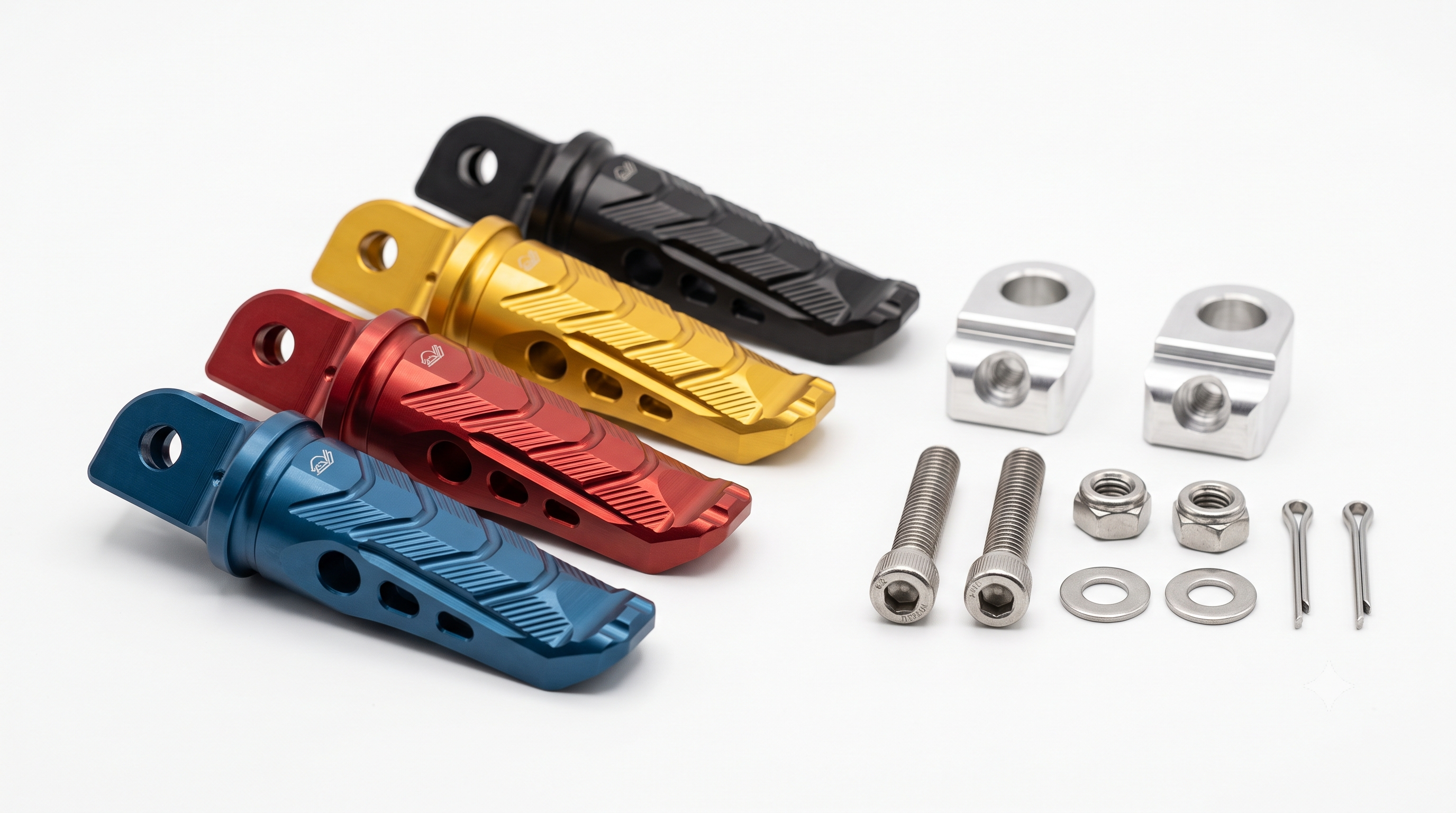
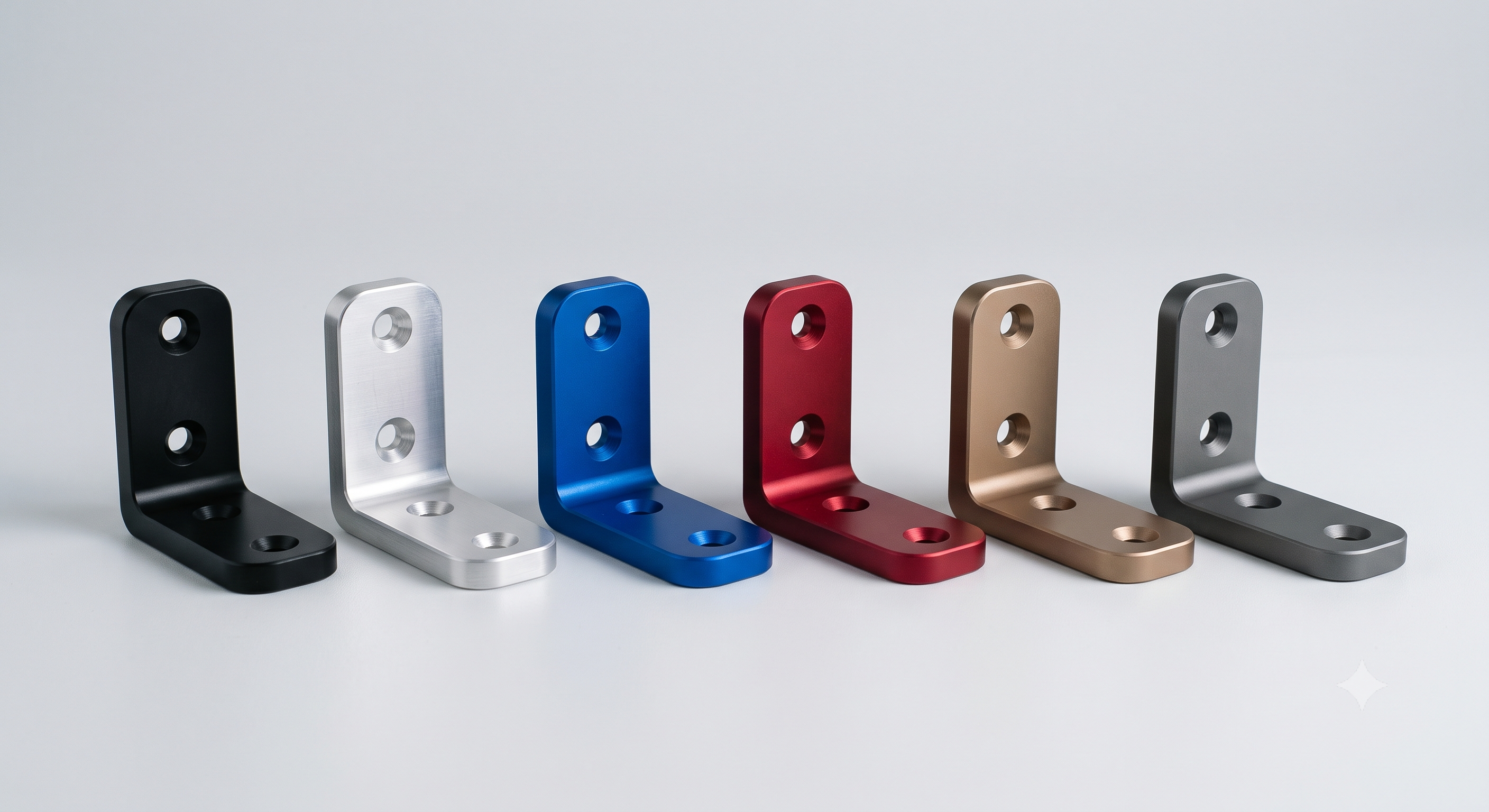
Upload one part. Want it in blue, green and orange? Group them as variants — not separate uploads — and every combination becomes a real, orderable reference with its own price, quote, history and revision thread. Try it below: it’s the live configurator, not a mockup.
Total references
11 base partAdd variants, now or later
The same part in another colour, marking or packaging stays grouped under it — never a second upload.
Every variant is quotable
You give each one a code, and the base ref plus that code — OPG-000547-V21 — is what you quote and order by, with its own price, history and revision thread.
Order any quantity
Per variant or on the raw part, without splitting the file into separate projects.
The three modes
How much variation does your part really have?
These aren’t difficulty levels — they’re how much structure your catalog needs. What changes between them is the references you quote and order by.
%3c/title%3e%3c!--%20Same%20machined%20block%20as%20iso-cnc-block,%20left%20unpainted:%20grey%20=%20no%20finish%20applied.%20--%3e%3cg%20id='block'%20stroke-linejoin='round'%20stroke-width='0.6'%3e%3cpolygon%20id='front-left'%20points='11,17%2024,23.5%2024,35.5%2011,29'%20fill='%23a3b1c2'%20stroke='%23a3b1c2'/%3e%3cpolygon%20id='front-right'%20points='24,23.5%2037,17%2037,29%2024,35.5'%20fill='%237e8ca0'%20stroke='%237e8ca0'/%3e%3cpolygon%20id='top'%20points='24,10.5%2037,17%2024,23.5%2011,17'%20fill='%23cdd7e1'%20stroke='%23cdd7e1'/%3e%3c/g%3e%3c!--%20Machined%20step%20notch%20on%20the%20top%20face%20--%3e%3cpolygon%20id='notch'%20points='24,14.5%2029,17%2024,19.5%2019,17'%20fill='none'%20stroke='%237e8ca0'%20stroke-width='1.4'%20stroke-linejoin='round'%20opacity='0.55'/%3e%3c/svg%3e)
Mode 01
No finishes
The raw part, and nothing else.
You upload one STEP — plus a 2D PDF if there are critical dimensions — and what you quote and order is the piece exactly as it comes off the machine. No colour, no marking, no packaging, nothing to configure.
- One reference, one price, one MOQ
- Still a full record: its own quotes, order history and revision thread
- Finishes can be added later without re-uploading — the base part keeps its reference
What you order by
OPG-000547
The base part’s reference, on its own.
Best when: Nothing downstream of machining varies, or you are ordering before you know which finishes you need.
%3c/title%3e%3c!--%20Three%20flat%20swatch%20tiles%20laid%20out%20in%20a%20row%20with%20a%20clear%20gap:%20a%20closed%20list%20of%20finishes,%20one%20hue%20per%20tile.%20Painted%20back%20to%20front.%20--%3e%3cg%20id='swatch-blue'%20stroke-linejoin='round'%20stroke-width='0.6'%3e%3cpolygon%20points='5,15.5%2012,19%2012,22.5%205,19'%20fill='%231f86f0'%20stroke='%231f86f0'/%3e%3cpolygon%20points='12,19%2019,15.5%2019,19%2012,22.5'%20fill='%230a5ec4'%20stroke='%230a5ec4'/%3e%3cpolygon%20points='12,12%2019,15.5%2012,19%205,15.5'%20fill='%236bb2ff'%20stroke='%236bb2ff'/%3e%3c/g%3e%3cg%20id='swatch-violet'%20stroke-linejoin='round'%20stroke-width='0.6'%3e%3cpolygon%20points='16,21%2023,24.5%2023,28%2016,24.5'%20fill='%237b5fe0'%20stroke='%237b5fe0'/%3e%3cpolygon%20points='23,24.5%2030,21%2030,24.5%2023,28'%20fill='%235533b8'%20stroke='%235533b8'/%3e%3cpolygon%20points='23,17.5%2030,21%2023,24.5%2016,21'%20fill='%23b199ff'%20stroke='%23b199ff'/%3e%3c/g%3e%3cg%20id='swatch-teal'%20stroke-linejoin='round'%20stroke-width='0.6'%3e%3cpolygon%20points='27,26.5%2034,30%2034,33.5%2027,30'%20fill='%2312b3a6'%20stroke='%2312b3a6'/%3e%3cpolygon%20points='34,30%2041,26.5%2041,30%2034,33.5'%20fill='%230b8478'%20stroke='%230b8478'/%3e%3cpolygon%20points='34,23%2041,26.5%2034,30%2027,26.5'%20fill='%2354dccb'%20stroke='%2354dccb'/%3e%3c/g%3e%3c/svg%3e)
Mode 02
Fixed finish list
You name each variant yourself.
Add a variant, pick its finishes from the menu, and it takes a unique ref on top of the base part’s. You are writing the list by hand, so it only ever contains combinations you actually sell.
- Each variant carries its own price, quote, history and revision thread
- Incompatible finishes grey out as you pick — a variant can’t be both anodized and RAL painted
- Order per variant or on the raw base part, without splitting the file into separate projects
Best when: A short list of combinations you could write down by hand.
%3c/title%3e%3c!--%203×3%20grid%20of%20thin%20tiles%20in%20one%20isometric%20plane.%20One%20axis%20runs%20blue→violet→teal,%20the%20other%20light→mid→dark:%20two%20option%20axes%20crossing%20into%20nine%20distinct%20SKUs.%20Tiles%20are%20painted%20strictly%20back%20to%20front%20(ascending%20centre-y),%20NOT%20grouped%20by%20row%20—%20front%20tiles%20clip%20the%20side%20faces%20of%20the%20ones%20behind.%20Faces%20per%20tile:%20left,%20right,%20then%20top.%20--%3e%3cg%20id='t-blue-light'%20stroke-linejoin='round'%20stroke-width='0.6'%3e%3cpolygon%20points='19.5,17%2024,19.25%2024,21.05%2019.5,18.8'%20fill='%231f86f0'%20stroke='%231f86f0'/%3e%3cpolygon%20points='24,19.25%2028.5,17%2028.5,18.8%2024,21.05'%20fill='%230a5ec4'%20stroke='%230a5ec4'/%3e%3cpolygon%20points='19.5,17%2024,14.75%2028.5,17%2024,19.25'%20fill='%236bb2ff'%20stroke='%236bb2ff'/%3e%3c/g%3e%3cg%20id='t-blue-mid'%20stroke-linejoin='round'%20stroke-width='0.6'%3e%3cpolygon%20points='25.5,20%2030,22.25%2030,24.05%2025.5,21.8'%20fill='%231f86f0'%20stroke='%231f86f0'/%3e%3cpolygon%20points='30,22.25%2034.5,20%2034.5,21.8%2030,24.05'%20fill='%230a5ec4'%20stroke='%230a5ec4'/%3e%3cpolygon%20points='25.5,20%2030,17.75%2034.5,20%2030,22.25'%20fill='%231f86f0'%20stroke='%231f86f0'/%3e%3c/g%3e%3cg%20id='t-violet-light'%20stroke-linejoin='round'%20stroke-width='0.6'%3e%3cpolygon%20points='13.5,20%2018,22.25%2018,24.05%2013.5,21.8'%20fill='%237b5fe0'%20stroke='%237b5fe0'/%3e%3cpolygon%20points='18,22.25%2022.5,20%2022.5,21.8%2018,24.05'%20fill='%235533b8'%20stroke='%235533b8'/%3e%3cpolygon%20points='13.5,20%2018,17.75%2022.5,20%2018,22.25'%20fill='%23b199ff'%20stroke='%23b199ff'/%3e%3c/g%3e%3cg%20id='t-blue-dark'%20stroke-linejoin='round'%20stroke-width='0.6'%3e%3cpolygon%20points='31.5,23%2036,25.25%2036,27.05%2031.5,24.8'%20fill='%231f86f0'%20stroke='%231f86f0'/%3e%3cpolygon%20points='36,25.25%2040.5,23%2040.5,24.8%2036,27.05'%20fill='%230a5ec4'%20stroke='%230a5ec4'/%3e%3cpolygon%20points='31.5,23%2036,20.75%2040.5,23%2036,25.25'%20fill='%230a5ec4'%20stroke='%230a5ec4'/%3e%3c/g%3e%3cg%20id='t-violet-mid'%20stroke-linejoin='round'%20stroke-width='0.6'%3e%3cpolygon%20points='19.5,23%2024,25.25%2024,27.05%2019.5,24.8'%20fill='%237b5fe0'%20stroke='%237b5fe0'/%3e%3cpolygon%20points='24,25.25%2028.5,23%2028.5,24.8%2024,27.05'%20fill='%235533b8'%20stroke='%235533b8'/%3e%3cpolygon%20points='19.5,23%2024,20.75%2028.5,23%2024,25.25'%20fill='%237b5fe0'%20stroke='%237b5fe0'/%3e%3c/g%3e%3cg%20id='t-teal-light'%20stroke-linejoin='round'%20stroke-width='0.6'%3e%3cpolygon%20points='7.5,23%2012,25.25%2012,27.05%207.5,24.8'%20fill='%2312b3a6'%20stroke='%2312b3a6'/%3e%3cpolygon%20points='12,25.25%2016.5,23%2016.5,24.8%2012,27.05'%20fill='%230b8478'%20stroke='%230b8478'/%3e%3cpolygon%20points='7.5,23%2012,20.75%2016.5,23%2012,25.25'%20fill='%2354dccb'%20stroke='%2354dccb'/%3e%3c/g%3e%3cg%20id='t-violet-dark'%20stroke-linejoin='round'%20stroke-width='0.6'%3e%3cpolygon%20points='25.5,26%2030,28.25%2030,30.05%2025.5,27.8'%20fill='%237b5fe0'%20stroke='%237b5fe0'/%3e%3cpolygon%20points='30,28.25%2034.5,26%2034.5,27.8%2030,30.05'%20fill='%235533b8'%20stroke='%235533b8'/%3e%3cpolygon%20points='25.5,26%2030,23.75%2034.5,26%2030,28.25'%20fill='%235533b8'%20stroke='%235533b8'/%3e%3c/g%3e%3cg%20id='t-teal-mid'%20stroke-linejoin='round'%20stroke-width='0.6'%3e%3cpolygon%20points='13.5,26%2018,28.25%2018,30.05%2013.5,27.8'%20fill='%2312b3a6'%20stroke='%2312b3a6'/%3e%3cpolygon%20points='18,28.25%2022.5,26%2022.5,27.8%2018,30.05'%20fill='%230b8478'%20stroke='%230b8478'/%3e%3cpolygon%20points='13.5,26%2018,23.75%2022.5,26%2018,28.25'%20fill='%2312b3a6'%20stroke='%2312b3a6'/%3e%3c/g%3e%3cg%20id='t-teal-dark'%20stroke-linejoin='round'%20stroke-width='0.6'%3e%3cpolygon%20points='19.5,29%2024,31.25%2024,33.05%2019.5,30.8'%20fill='%2312b3a6'%20stroke='%2312b3a6'/%3e%3cpolygon%20points='24,31.25%2028.5,29%2028.5,30.8%2024,33.05'%20fill='%230b8478'%20stroke='%230b8478'/%3e%3cpolygon%20points='19.5,29%2024,26.75%2028.5,29%2024,31.25'%20fill='%230b8478'%20stroke='%230b8478'/%3e%3c/g%3e%3c/svg%3e)
Mode 03
Matrix finish
Every crossing becomes a real SKU.
Give a column to each attribute that actually varies — colour, marking, packaging — and each combination of them is an orderable reference with its own price, without enumerating any of it.
- Only the axes that really vary become columns — you are never forced into a full grid
- The reference count recalculates live as you add or drop a column
- Every crossing is a real SKU with a price, not a row in a spreadsheet
What you order by
OPG-000547AM1P1
Base part ref + one code per column — here Traffic Red, marked, bagged.
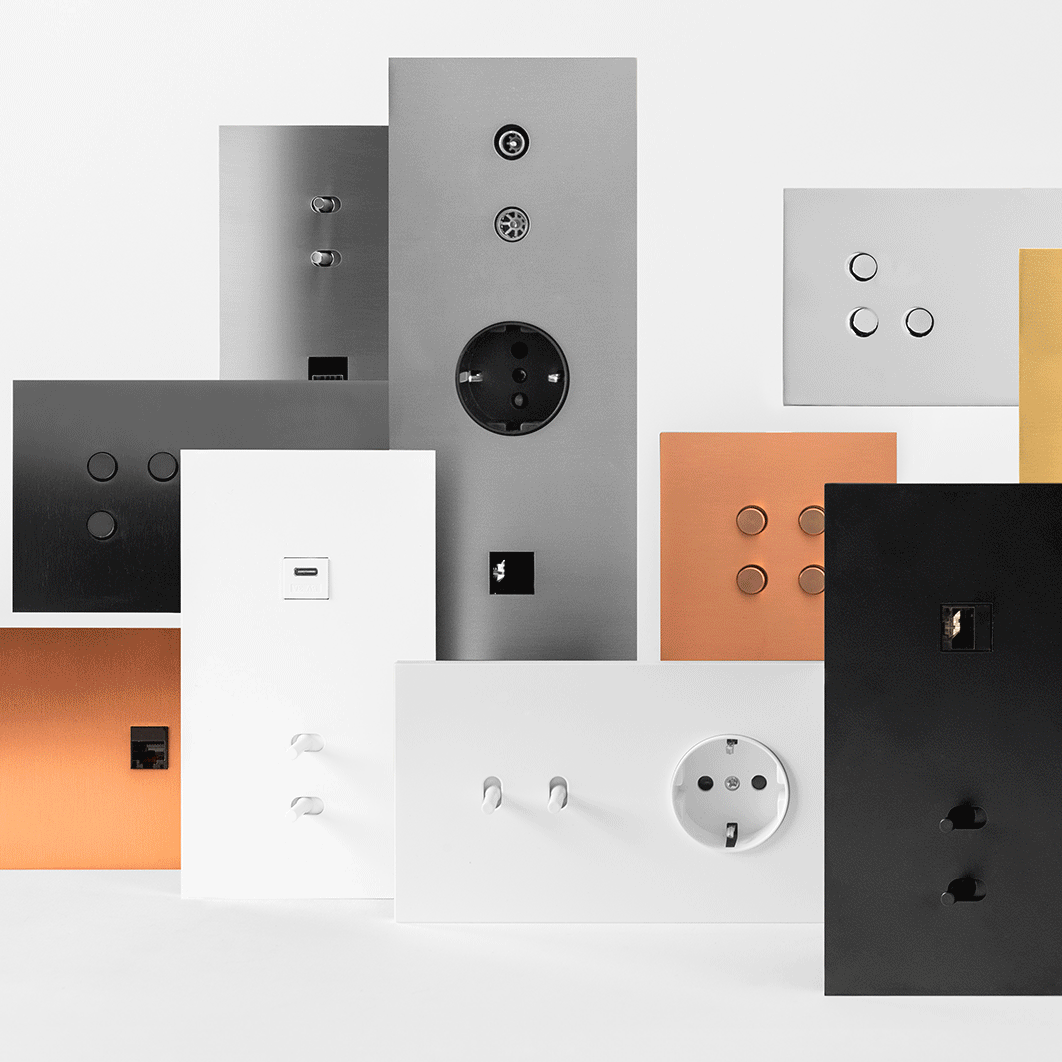
Best when: Combinations multiply faster than anyone can list them: the switch brand on this system runs over 1.5 billion.
Nothing here is locked in. The same uploaded part can start bare, gain a short variant list when the first colours appear, and move to a matrix once the combinations outgrow the list — you’re choosing how far the structure goes today, not signing up for it forever.
Group parts into a kit →
The next rung up: parts and variants grouped into one referenced assembly, ordered as a single line.
See it running a real catalog →
A designer switch brand delegates 100% of its production to OperGo on this exact system — over 1.5 billion combinations.
Building a whole catalog? →
See how variant management combines with tooling, production and packaging.